Fleet management involves a range of expenses linked to the day-to-day use of vehicles. Fuel, tolls, parking and other costs can generate receipts and invoices that need to be recorded and organised. The way these documents are digitised is therefore also part of an efficient expense entry process.
Quatenus MyFleet, Quatenus's mobile application for fleet management, now includes a new intelligent document scanning tool. This update replaces the use of a simple photograph with a guided scanning process designed for receipts and invoices.
Expense records often rely on paper documents. When these are collected throughout the day and in different locations, scanning them becomes a recurring task for people using the application and keeping track of fleet costs.
A standard photograph captures an image of a document, but it is not necessarily a dedicated scanning process. The new Quatenus MyFleet tool introduces a specific approach to this step, with guidance while capturing a receipt or invoice.
With this update, expense entry now includes intelligent document scanning tools. Instead of simply using the camera to take a photograph, users start a scanning process that guides them through capturing the document.
This development is intended to make the collection of receipts and invoices more structured and better suited to using a mobile application. The aim is to make a specific stage of expense entry easier without adding unnecessary complexity.
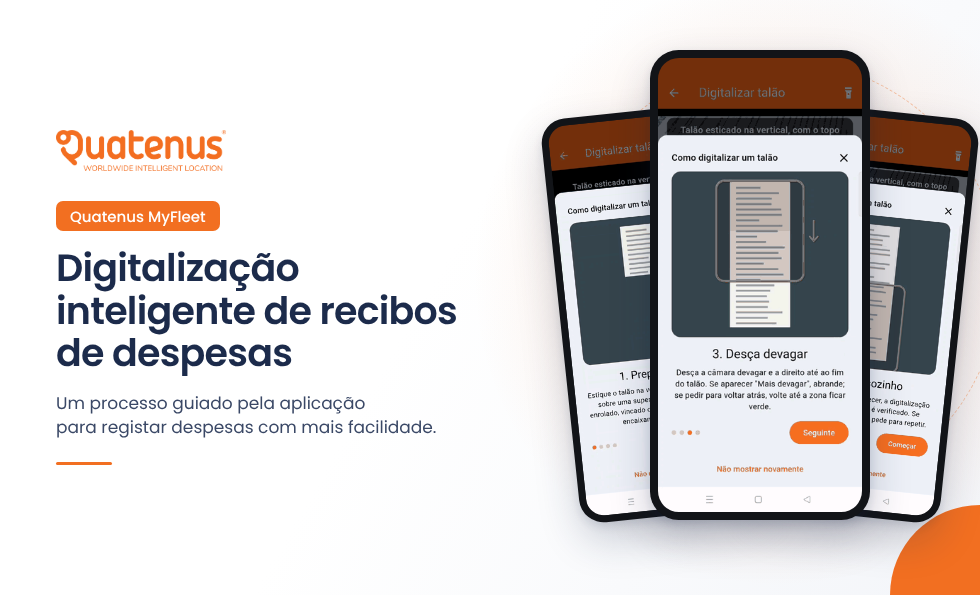
The tool provides guidance to help users position the document in front of the camera and move it during the scanning process. By following these instructions, users capture the document through the application's guided process.
Once scanning is complete, the result can be reviewed. This allows users to check the captured document before proceeding with expense entry.
The demonstration video included in this article shows the different stages of the tool, from starting the scan to reviewing the result.
Expenses are part of the day-to-day operation of any fleet. Making it easier to scan the documents associated with those expenses helps improve the experience of people using the application to record this information.
With this new tool, Quatenus MyFleet takes another step in the development of expense entry, replacing a simple photograph with an intelligent scanning process designed for receipts and invoices.
For organisations looking to structure vehicle and expense management, the ease of use of digital tools is an important factor when choosing a fleet management solution.
Discover how Quatenus MyFleet can support your day-to-day fleet management.
Contact our team to learn more about the solution's features.
Contact UsFAQ's
It is a Quatenus MyFleet tool that allows users to scan receipts and invoices through a guided process instead of simply taking a photograph.
The new tool is designed to scan receipts and invoices associated with expense entry.
A photograph captures an image of the document. Intelligent scanning uses an application-guided process, with instructions on positioning and moving the document during capture.
The tool provides instructions on positioning the receipt in front of the camera and moving it during scanning. Users can review the result at the end.
Yes. The new tool has been introduced in Quatenus MyFleet to support the scanning of receipts and invoices as part of the expense entry process.